
AndroCode Scanner2025 - Google Play
You'll be able to see results in few seconds.
Publisher Description


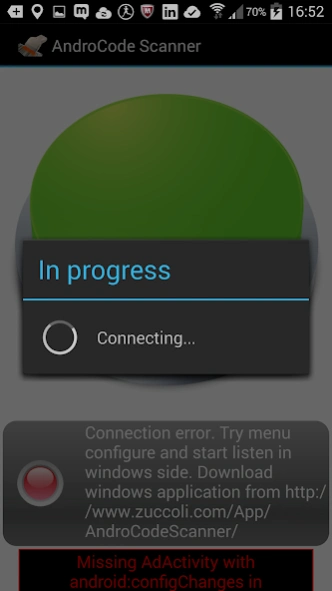

WiFi Barcode reader for Windows. Save on the purchase of the barcode .
WiFi Barcode reader for Windows.
Turn your Android device into a programmable wifi barcode reader for Windows with keyboard emulation.
Ideal for libraries, post bulletins, and small offices.
You can also use a single PC to acquire all the codes transmitted from a different barcode scanner.
Support for any JSON enclosed in QRCode like Italian AdE QRCode.
Full support to the management of the Italian AdE QRCode (width working example).
Through the keyboard emulation, it is possible to transfer QRCode data into a form of any management software (website, Excel, Word ...).
Download the application for the Windows side:
http://www.zuccoli.com/App/AndroCodeScanner/
Configure the IP address in the Android application menu, and it 'ready to use.
Available in several configurations:
- Start with windows
- Immediately starts to listen to the readings
- Minimization in the tray bar after listening
- Use the ClipBoard instead of emulating the keyboard.
It is possible to configure the keys sent with the barcode:
- Nothing
- Return
- Tab
- Custom
Download and install the Windows application from this URL http://www.zuccoli.com/App/AndroCodeScanner
At this page, you can see more configuration option.
N.B.
Check your firewall and enable the Listening Port for the incoming connection.
About AndroCode Scanner
The company that develops AndroCode Scanner is Zuccoli Andrea. The latest version released by its developer is 2025.
To install AndroCode Scanner on your Android device, just click the green Continue To App button above to start the installation process. The app is listed on our website since 2026-09-16 and was downloaded 0 times. We have already checked if the download link is safe, however for your own protection we recommend that you scan the downloaded app with your antivirus. Your antivirus may detect the AndroCode Scanner as malware as malware if the download link to az.android.remoteinput is broken.
How to install AndroCode Scanner on your Android device:
- Click on the Continue To App button on our website. This will redirect you to Google Play.
- Once the AndroCode Scanner is shown in the Google Play listing of your Android device, you can start its download and installation. Tap on the Install button located below the search bar and to the right of the app icon.
- A pop-up window with the permissions required by AndroCode Scanner will be shown. Click on Accept to continue the process.
- AndroCode Scanner will be downloaded onto your device, displaying a progress. Once the download completes, the installation will start and you'll get a notification after the installation is finished.
Program Details
System requirements
Download information
Pricing
Version History
version V2025.r7
posted on 2026-09-16
Android compatibility update and stability improvements.
Donation feature removed.
version V2025.r2
posted on 2025-02-24
Fist MAUI Release
version 1.29
posted on 2019-04-27
Fixed some error message
version 1.22
posted on 2016-04-04
Added share of exe info,Added configuration by Scann.,N.B.,Upgrade the windows software from http://www.zuccoli.com/App/AndroCodeScanner,to use this feature
version 1.0
posted on 2013-03-19
Several fixes and updates
Disclaimer
Official Google Play Link
We do not host AndroCode Scanner on our servers. We did not scan it for viruses, adware, spyware or other type of malware. This app is hosted by Google and passed their terms and conditions to be listed there. We recommend caution when installing it.
The Google Play link for AndroCode Scanner is provided to you by apps112.com without any warranties, representations or guarantees of any kind, so access it at your own risk.
If you have questions regarding this particular app contact the publisher directly. For questions about the functionalities of apps112.com contact us.
